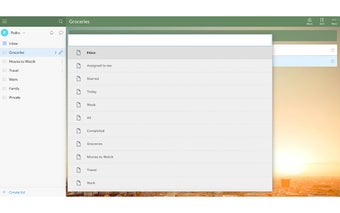
WunderlistNavigator - Quickly navigate between wunderlist lists
WunderlistNavigator is a free Chrome add-on developed by Pedro Catré. It falls under the category of Browsers, specifically Add-ons & Tools. This handy tool allows users to quickly switch between their Wunderlist lists on the Wunderlist web application.
To activate the WunderlistNavigator, simply press **COMMAND+SHIFT+b** or **CTRL+SHIFT+b** on your keyboard. Once activated, you can start typing keywords to filter your lists. Pressing the `Enter` key or clicking with your mouse will instantly jump to the selected list.
One of the great features of WunderlistNavigator is the ability to define your own custom shortcut. Simply navigate to chrome://extensions/ and go to Keyboard shortcuts to set up your preferred shortcut.
It's worth noting that after installing WunderlistNavigator, you will need to refresh any already opened Wunderlist web apps for the changes to take effect.
With WunderlistNavigator, navigating between your Wunderlist lists has never been easier. Say goodbye to tedious scrolling and searching, and streamline your productivity with this simple yet effective add-on.